

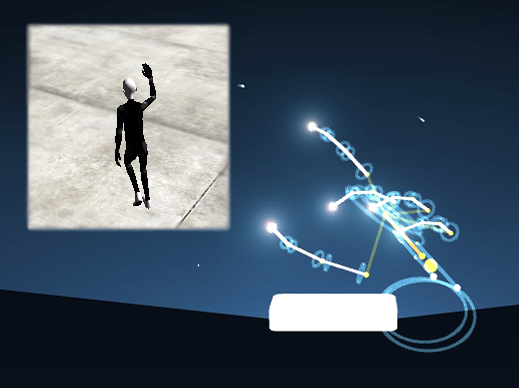
It consists of two demo-scenes, several reusable Leap-helper scripts and Playmaker actions for LeapMotion. The goal of the example is to provide simple means to utilize the LeapMotion sensor in your own Unity projects. The examples should work with both Unity-Free and Unity-Pro, under Windows and MacOS X.
How to Run the Example:
1. Install the Leap Motion driver and software, as explained in Readme-LeapMotion-Examples.pdf, located in Assets-folder.
2. Download and import the package.
3. Open and run LeapAvatarControl-scene, located in Assets/AvatarControlDemo-folder, or
4. Open and run LeapGesturesDemo-scene, located in Assets/GesturesDemo-folder.
For more information about the example scenes, see the Readme-LeapMotion-Examples.pdf, located in Assets-folder.
Troubleshooting:
* If you get TypeInitializationException, make sure you have installed the Leap Motion Installer.
* Leap Motion Installer can be found here.
* The example was tested with Leap Motion Software 1.0.8-1.1.3 on Windows and v.1.0.8-1.0.9 on MacOS X.
* Here is a link to the project’s forum: http://forum.unity3d.com/threads/218042-Leap-Motion-Examples
What’s New in Version 1.5:
1. Added Playmaker actions for LeapMotion.
2. Added gesture demo scene – simple presentation cube, controlled by hand swipes – left and right.
3. Updated project structure in order to be better understandable.
4. Fixed hand grip and release functionality.
5. Removed the extra gestures.